CanFish Fishing CamX Review : Best Underwater Fishing Camera
This is the second article I've written on underwater fishing camera's. My original article covered the GoFishCam which I was a massive fan of, unfortunately that company went out of business along with their camera. That said, I've found a new camera called the CanFish CamX which has some similarities but also some big fundamental differences in how it used.
Anyway, I did a short YouTube review video of this camera but wanted to do a more thorough article where I can elaborate more on the good and bad of this camera.
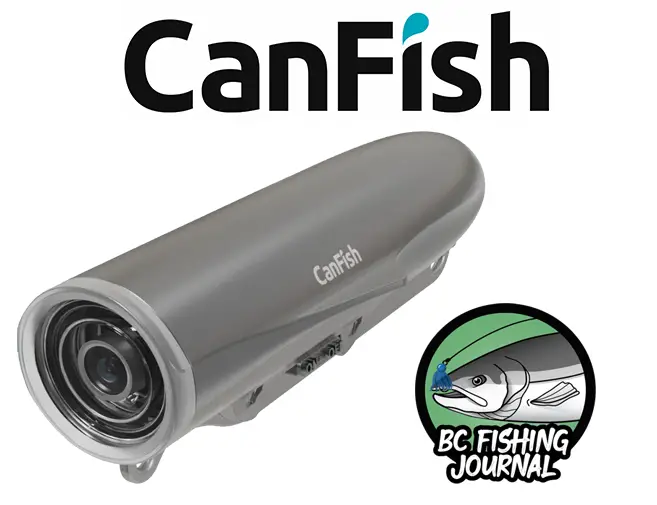
CanFish CamX: click here
$20 Discount Code: BCFishing20
Benefits of an Underwater Fishing Camera
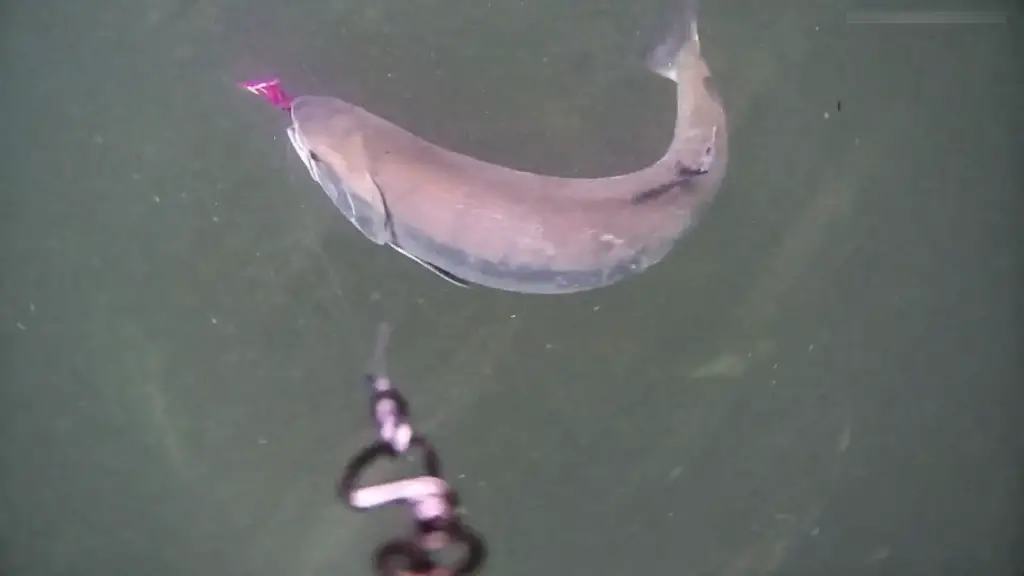
My favorite usage of the underwater water camera is to catch the fish strikes. This camera is an incredible tool in my gear arsenal for my YouTube channel. And I think I like the footage more than my audience does!
Not only do these cameras offer unique views underwater, but also the habitat and structure these fish are around. And of course as an angler watching the fish behavior is so helpful. It makes me a better angler to compile all this info after each trip.
Additionally, because these cameras are not meant to be compared against the GoPro's, Osmo's, etc. action cameras, they have focused usages and do a great job in that! They are cheaper than these large brand action cameras as a result of their underwater usages. As long as the price point reflects this (which it does as these usually range from $140-$200 USD), I'd say they are certainly worth the money!
How to connect your camera to Mainline & Leader lines
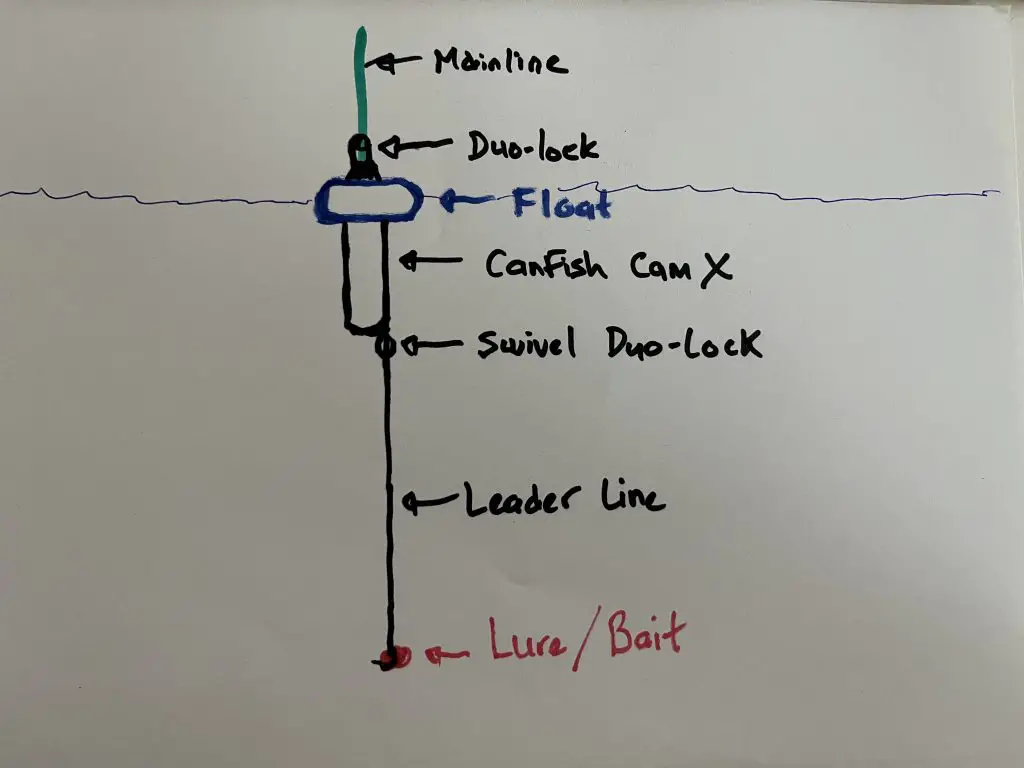
I connect both the top and bottom ends of the underwater camera with a some sort of barrel swivel with duo-locks. Essentially, terminal gear that allows me to clip onto the mainline or change out the leader line quickly. Sometimes this terminal gear can add some "clinking" notices to the camera but to me it's minimal and I like the fast change out of the lines with the metal snap swivels.
One other important thing is to ensure your mainline is strong! You don't want to snap your mainline with an expensive camera on the end. So far I haven't lost a camera, but I've certainly had some close calls. In order to avoid this risk, I use heavier braided mainline that's tied to the top end of camera. Typically, I don't use anything less than 50# braided line.
Quick Tips:
- Ensure mainline is heavier line than leader line
- Leader line is subjective, I like using 3-4 feet of fluorocarbon leader line
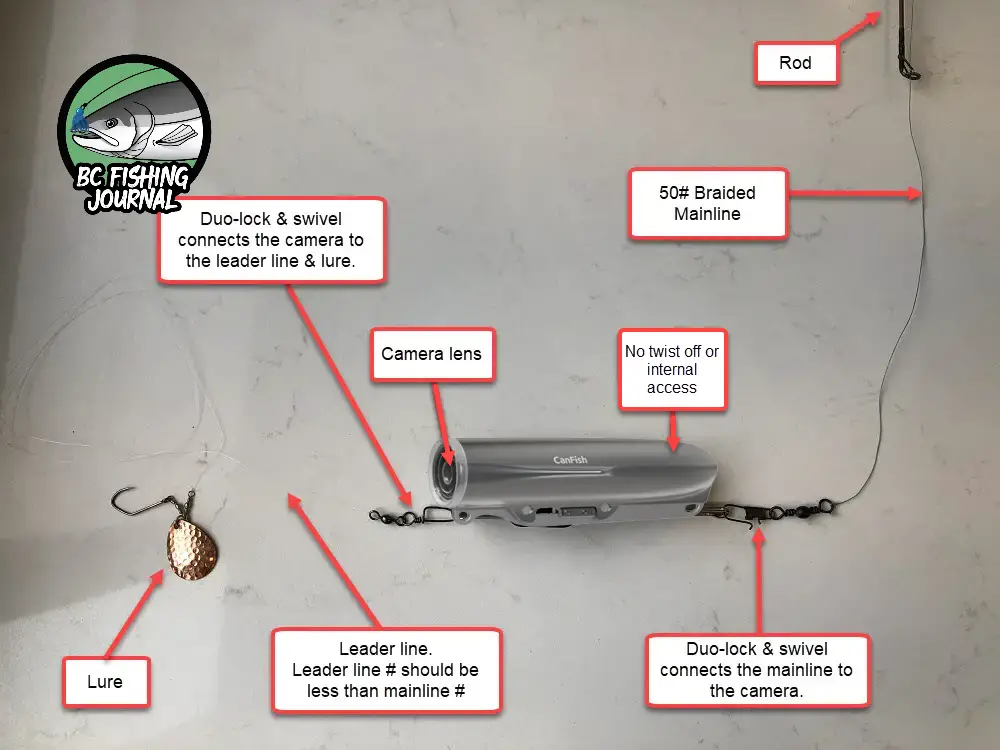
Click image to enlarge diagram
Ways to fish an Underwater Fishing Camera
The most typical uses for underwater fishing cameras are:
- Trolling - camera is inline and being trolled behind a boat or kayak. Typically, there would be some sort of mainline connected to camera with a leaderline and lure below it.
- Bottom fishing - the camera is dragged along the bottom with a leader line and lure behind it. It can be an effective approach for bass, crappie and other freshwater fish. to the bottom while dragging or popping a lure along the bottom.
- Vertical Jigging - this setup is almost identical to the bottom fishing setup, but you're not sitting on camera on the bottom. And you need a lure that's got some weight in order to point the camera downward. I like to use heavy jigs to accomplish this and can do this in the ocean or freshwater.
- Float fishing (camera on surface) - the CanFish comes with a handy blue float that your camera can wedge into. It keeps the camera floating in the upright position looking down into the water from the surface area. I love to use this float in rivers for salmon or trout, it's made for some great videos! Check out review video below.

Float Fishing Setup & Diagram
Here is my official (and very professional) diagram of the float setup I use with the CamX camera. I like this setup because it enables me to add the camera to my standard float setup while fishing on the river. Essentially, I'm adding the camera and float in between my river setup, so it's easy to swap in and out for a quick video when I want one.
GoFish Cam vs. CanFish CamX - Pros & Cons
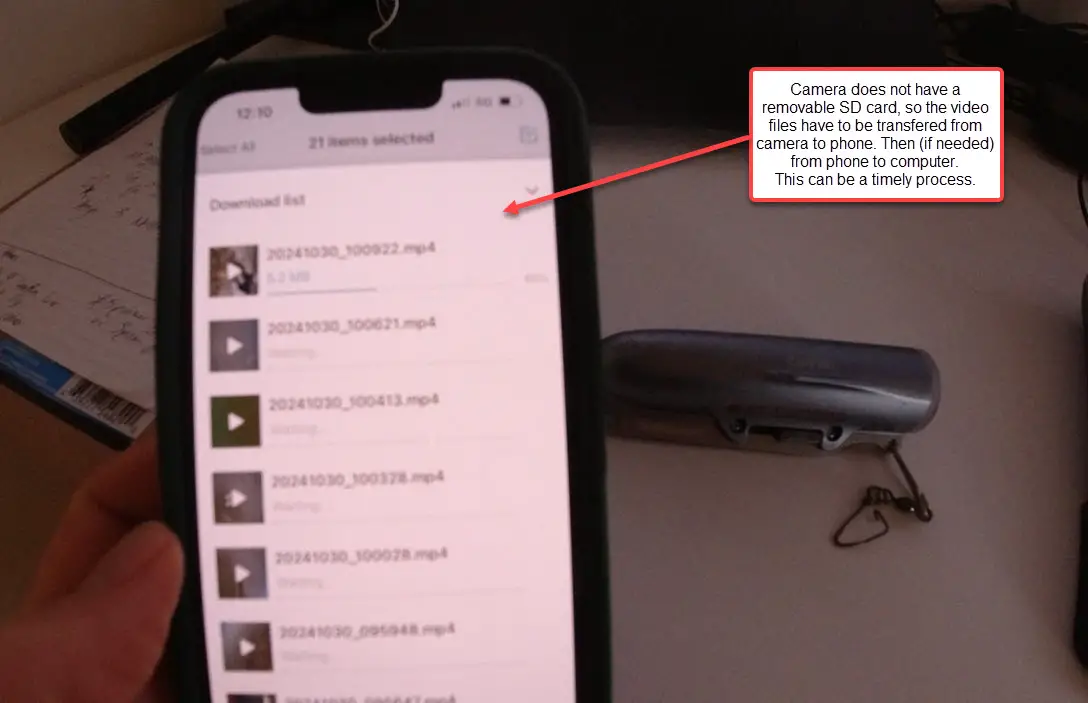
In the introduction I mentioned the GoFish Cam and some differences to the CanFish camera. The biggest difference between these 2 cameras is storage system of the camera... aka the the SD card. The SD card is where your videos are stored. In the GoFish Cam that SD card was accessible and could be replaced. Meaning, you physically took it out and used it however you see fit. With the CanFish the SD card is NOT accessible (as its internal), so you have to connect the camera to your phone in order to transfer the videos out of the camera.
Additionally, the uses of the camera are different from the GoFish Cam vs. CanFish CamX. The GoFish Cam recording starts with a manual button push on the internal section of the camera. Whereas the CanFish starts via the phone app and one single sliding on/off on the camera itself. The CanFish also has some motion sensors starting recording tools (but that's another topic I'm not going to cover in large here).
To clarify these 2 big differences between these 2 cameras, here are some PROS & CONS of the CanFish CamX.
Pros
- Don't have to buy additional SD cards (SD card is built into camera)
- Best for people who want to edit and share their videos from their phone
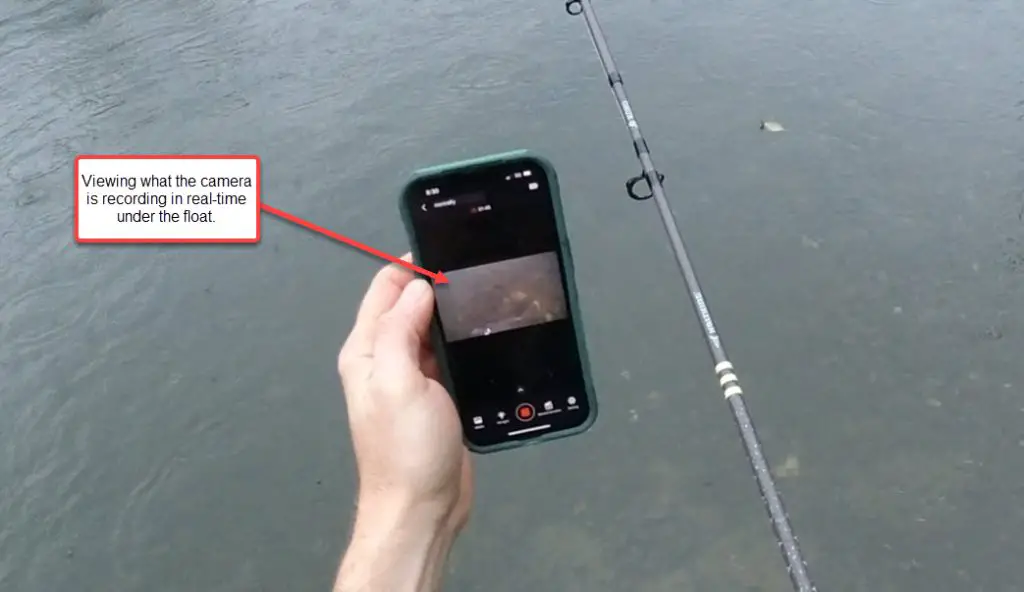
- Using phone CanFish app to start and manage the camera is easier than manually pushing the camera internal buttons
- CanFish app has a good management area of your videos, which you can use to review and transfer videos
- Longer battery life than GoFish Cam, roughly
Cons
- Can't change out the SD card, so once its full you need to transfer the data out before continuing to use. Also can't upgrade your storage size of the SD card, although this isn't as big of deal as you might think as you only have so much battery life.
- Have to transfer video files from camera to phone, then to computer (if you need that step). This is the biggest draw back of the camera for me as a YouTuber, as I do all my editing on desktop and need the files there. This requires a timely additional step to get files to my computer.
- Videos have hard codes date and time stamps in them. We should have the option to turn this off in the app, as I never use them and have to use a watermark in the editing process to hide them.
- Video files when exported to computer come out in random character file names. Filenames should have some sort of ordering system or date/time naming system. Otherwise, you don't know the order of all these videos and how you shot them until you review and relabel yourself.
- Camera tends to heat up after transferring files for awhile. It hasn't cause an issue, but it something I noted after 10 minutes of file transferring.
CanFish CamX Specs
- 138 minutes Battery Life
- 16 GB internal storage card
- 1080 Full HD camera
- 4Mbps video bitrate
- MP4 video format
- 136° ultra-wide-angle lens
- Underwater depth up to 656 feet (200 meters)
- Green light for deep water filming
- Has motion-sensing controls for WiFi & recording
Where to Buy the Camera
CanFish CamX: product page click here
For $20 off use Discount Code $20: BCFishing20
CanFish Fishing CamX in Action
I've done 2 review videos of this camera, both are on my YouTube channel be sure to check it out and subscribe!
In this 1st video you get to see how I use the camera on the river, a good overview of the camera and how I utilize it to create videos. And of course you get to see some underwater Salmon strikes and fight! In the 2nd video I outline 3 ways in which I utilize the CamX camera.
Final Thoughts
The CamFish CamX is a good underwater fishing camera for the price. As long as it stays in the $150-$200 range, I would recommend it. It's ideal for people who edit and share their videos all on their phone. For me, I do most of my editing on my desktop so have an extra step in managing the files with the internal SD card, but that's not a deal breaker. Overall I'm looking forward to getting this camera out more behind a trolling setup or vertical jigging in the ocean.
Appreciate you visiting BC Fishing Journal and taking the time to read this review. Cheers! Jesse